How to Level Up on Steam: Steam Levels, XP & Badges Explained

8
min
0
0
The first thing people see when they come to your profile is the level of steam. It’s an instant visual badge of credibility and status. A high level means an active, trustworthy and old account, with real weight in the community. This badge earns trust and differentiates you when sizing up a new teammate in the CS2 lobby or vetting the reliability of a potential trade partner. But how exactly do you level up on Steam?
What a Steam Level Actually Is?
Steam level is a number that is tied to an account. This shows how active and developed is the profile on the platform. All accounts start at level 0. Steam leveling up means earning experience points (XP). It can also be called ranking up, which means the same thing since there is no separate Steam rank. XP comes almost entirely from crafting and upgrading badges.
It’s important to note that Steam level is not your CS2 profile rank (the in-game XP and service medal system). Playing matches raises your CS2 profile rank (which earns you Service Medals), your Competitive skill group, or your Premier rating. None of these affect your Steam level.
To check your current Steam level and track XP progress, visit your Steam profile page or go to the Badges tab.
How the Steam XP Curve Works?
Before setting a target level, you need to understand how Steam’s leveling math works.
Steam uses a scaling XP requirement that increases every ten levels:
- Levels 1–10: 100 XP per level
- Levels 11–20: 200 XP per level
- Levels 21–30: 300 XP per level
The requirement keeps rising by an additional 100 XP every ten levels indefinitely. Because crafting a standard game badge rewards a flat 100 XP, a single badge craft levels you up once early on. At level 25, for example, that same 100 XP badge provides only a third of a level.
This scaling is why the second half of the journey to level 100 costs far more than the first. Going from level 0 to 50 requires 15,000 XP (150 badge crafts), whereas going from level 50 to 100 requires an additional 40,000 XP (400 badge crafts).
| Target level | Total XP needed | Badge crafts needed (100 XP each) |
| 10 | 1,000 | 10 |
| 20 | 3,000 | 30 |
| 50 | 15,000 | 150 |
| 100 | 55,000 | 550 |
Always evaluate this scaling table to set a realistic budget target rather than aiming for a high round number.
What You Unlock by Steam Leveling Up?
Players wondering how to level up a Steam account should know it unlocks several functional and aesthetic perks. Still, before each Steam level up, it’s important to set realistic expectations about what it actually provides.
Here is what you gain as your Steam level increases:
- Friend List Capacity: Every single level increases your maximum friend list size by 5 slots. The account starts with 250 slots. The current absolute limit is 2,000 friends.
- Profile Showcases: Starting at level 10, every 10 levels unlocks one additional profile showcase slot (up to a maximum of 20). It lets you display rare achievements, artwork, CS2 item showcases, or trade offers.
- Booster Pack Drops: Every 10 levels increases your baseline drop rate for eligible card booster packs by +20% (reaching level 50 effectively doubles your default chance).
- Badge Styling: Your level badge changes color and visual design every 10 levels, with new distinct shapes unlocking at major milestones (every 100 levels).
If you search for how to rank up on Steam, note that a higher Steam level offers no store discounts, gameplay advantages, or special trade privileges.
Ways to Earn Steam XP
The question “How to level up on Steam?” has a simple answer: badges. There are five kinds of them.
Game Badges From Trading Card Sets
Players looking for how to increase Steam level should know that the most common badge comes from trading card sets. You need to collect a full set of a game’s trading cards and craft it. It gives you 100 XP. Each badge also gives a random emoticon and profile background. You can also get a chance to earn a discount coupon for a different game or DLC.
You can craft the same game badge up to 5 times, for a max of 500 XP per game. Also, every set gives the same 100 XP regardless of the game. In other words, it could be better to craft cheap indie sets instead of AAA sets.
Free Badges Every Account Should Claim
Another detail of how to lvl up in Steam is to use free badges. The first one is a Community badge. You can gain it after completing basic Steam tasks such as setting an avatar, joining a group, and writing a review. It gives you 500 XP.
Another one is the Years of Service badge (50 XP every year). It is granted automatically on your account anniversary. Lastly, annual badges include Steam Awards participation (100 XP) and Year in Review (50 XP). Since they are free, claim these first.
Sale and Event Badges
Major Steam sales and events come with a badge you can level up using event cards or Steam Points. Unlike game badges, these don’t have a 5-craft limit. In other words, they’re the main source of XP for very high-level accounts.
You can gain Steam Points from Steam purchases. It includes buying games, DLCs, hardware (like Steam Deck), software applications, soundtracks, or in-game items (doesn’t include buying items on the Steam Community Market). You can also get Steam Points when other users give a Community Award to your account or content you share on Steam (game reviews, video uploads, community guides, workshop items). Ultimately, if you already have Points, you have free XP for your account.
Foil Badges and the Game Collector Badge
The last kinds of badges include foil and the Game Collector badges. The first is similar to game badges, but you need a foil card set to use it. It gives you 100 XP and can be crafted only once per game. Foil cards are also rare, and buying them specifically to level up can be especially costly.
The Game Collector badge grows slowly as your library grows. Buying games just for XP isn’t worth it because each game gives only a small amount of XP (from 6 to 1, depending on how many games you own).
How to Craft a Badge on Steam?
If you’re wondering how to craft a badge in Steam, it takes under a minute once you have the full set.
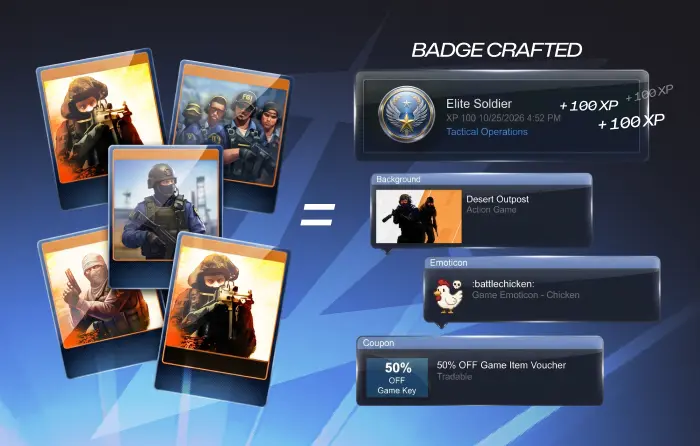
To avoid any confusion, follow these steps:
- Open your Steam profile.
- Click Badges in the right column (or from the menu under your profile name).
- Open the Badges in Progress tab.
- Select a badge marked ready to craft.
- Click the blue Craft a Badge button.
- Collect your XP, emoticon, and profile background.
- Feature your favorite badge on your profile if you want.
The Badges in Progress page also shows which friends own the cards you’re missing. In other words, you can get some free cards without spending a penny by trading with other Steam users.
Where to Get Trading Cards?
Another question about how to level up in Steam requires understanding the origin of trading cards. In general, most games drop about half a set. In free-to-play games, you get cards based on in-game spending. You may need to buy missing cards or cheap full sets on the Steam Community Market to make a game badge.
You can also swap duplicates with friends or trading communities. Don’t share your login, Steam Guard codes, or API key with anyone offering cards or “instant levels.” Additionally, double-check every trade offer before confirming. It may also help to understand CS2 trade reversal and how to undo your Steam trades, since Steam trade rules have changed for CS2 items.
The last way to get cards is to use booster packs and gems. Booster packs hold 3 random cards. You become eligible to create one after you use up a game’s drops and log in weekly. You get gems by breaking down unwanted items (e.g., an emoticon or profile background).
Use Your CS2 Inventory to Fund Your Steam Level
Players looking for how to rank up in Steam often forget about CS2 skins they don’t use. In reality, card sets and event badges cost real money. An unused skin can cover dozens of badge crafts. That’s why it can help to search “value of my Steam account” and use your inventory to level up your Steam account.
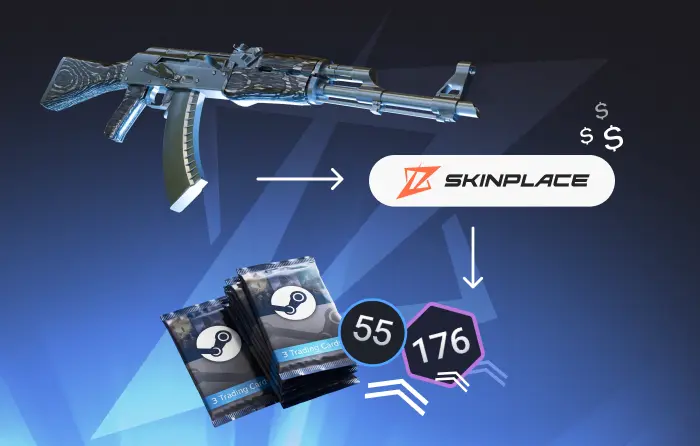
At the same time, selling skins on the Steam Community Market only gives you Steam Wallet funds, while a third-party marketplace gives you more ways to cash out. If you want to sell CS2 (CS:GO) skins, then be sure to find a trustworthy platform.
Does Your Steam Level Matter in CS2?
Another part of how to level up on Steam is understanding what affects the CS2 Trust Factor. According to Valve’s official Steam Support guide, Trust Factor analyzes your total history across Counter-Strike 2 and the Steam platform. At the same time, Valve has never confirmed that Steam level directly raises Trust Factor. Still, it’s rather one sign of a real, active account, not a guaranteed boost.
High-level accounts with a history of badges, detailed profiles, and real game libraries naturally appear more credible, which offers practical advantages when interacting with the community. Trade partners and teammates often check profiles, and a higher level with real badges looks more established.
Generally, leveling up won’t give you better quality of matchmaking or immediately fix a broken rating. What matters is an account with no bans, legit play, clean behavior, and Steam Guard enabled.
How to Level Up Fast Without Overspending?
But how to increase Steam level fast without spending a fortune? In fact, learning how to level up on Steam means spending money based on your current level tier.
Here, we provide a roadmap that is divided into three stages:
- Level 0–15 (Mostly Free): Earn the free Community Leader badge by completing simple Steam Community tasks. Drop cards from games already in your library and trade duplicates with friends to finish sets at zero added cost.
- Level 15–50 (Low Cost): If you want to level up your Steam account, then you need to buy the cheapest card sets on the Community Market. Use Steam Points for seasonal sale badges during big events and earn free XP boosts without spending real money.
- Level 50–100+ (Budget Wisely): The higher a level, the higher an XP requirement. Set a strict budget and decide whether additional profile showcase slots justify the rising price tag.
Instead of buying cards on their own it might be worth checking third-party badge lists for the cheapest sets. In addition, avoid peaks in market prices during seasonal sales. It’s the time when there is a higher demand for cards. Lastly, use your Steam Points on badges rather than hoarding them.
Steam Leveling Myths and Mistakes
Finally, players who learn how to level up on Steam should also learn the most common myths and mistakes about how Steam XP works:
- Achievements don’t give Steam XP: While in-game achievements can be an important part of account activity and achievement showcase stats, they provide zero XP for Steam level.
- Playtime gives card drops, not XP directly, and drops are capped: Playing games gives you only about half of a set. Once your drops run out, playtime won’t reward you with additional cards.
- Foil badges don’t give extra XP: Each foil badge gives 100 XP. It is also limited per game.
- Buying games mainly for XP is inefficient: A large library can signal an active account, but it only gives a small amount of XP.
- “Instant level” services that require your login are a scam risk.
Conclusion
Understanding how to level up on Steam comes down to simple math. Each time you craft a badge you earn 100 XP. The required XP increases every 10 levels. To level up efficiently, claim all available free XP and complete card sets from games you already own. Also, use seasonal event badges. Finally, it can be useful to set a clear budget target that works for you.
If you want to spend on weapon finishes, not card packs, you can spend directly into your inventory. Buy CS2 (CS:GO) skins to upgrade your loadout and show your preferences in the next match.
FAQ
How to get to level 10 fast on Steam?
Complete the Community Leader badge tasks for 500 XP. Then buy cheap 5-card trading card sets on the Steam Community Market.
Can you level up on Steam for free?
Yes, but it could take longer if you don’t spend money on it. You can gain free XP by completing Community tasks, earning free event badges during major sales, participating in yearly Steam Awards voting, and converting eligible free card drops into badges.
Does a higher Steam level improve CS2 Trust Factor?
It is a sign that the account is real and active. The more important thing is to not have bans, legit play, and clean behavior.
How much to get to level 100 on Steam?
Level 100 requires 55,000 total XP, or 550 full badge crafts. The final cost depends entirely on the badges and cards you use.
Is Steam level 13 high?
It’s rather an average level for casual players and extremely low for enthusiast collectors.
Is Steam level up safe?
It’s safe as long as you use the official Steam platform. Some third-party platforms offer fast level-ups, but it’s widely recognized as a scam or an overpriced method.

Subscribe
0 Comments