Steam Trade Hold: How to Remove Trade Holds

6
min
0
0
Steam unites passionate CS2 players from around the world, allowing them to buy, sell, and trade skins and other in-game items. It’s an official platform where users can feel safe. One of the security measures used on the platform is Steam trade hold, a temporary freezing in skin delivery for security purposes. This innovation has sparked much debate in the community. Moreover, it has irritated many players. Therefore, we’ll provide a comprehensive explanation of what Steam trade hold is, why it exists, and how to avoid it.
What Is a Steam Trade Hold?
Steam trade hold is a procedure that holds traded items (skins, items, gifts) for up to 15 days after both parties have confirmed the transaction. This measure is necessary to ensure account security, allowing participants to cancel the trade if fraudulent activity is detected. Measures are in place to avoid Steam trade hold, including the use of the Steam Guard mobile app.
Why Are Steam Trade Holds Implemented?
The implementation of Steam trade holds is driven by security measures. Imagine a user’s account gets hacked, and someone tries to withdraw skins. While a trade hold is in effect, the account owner can take all necessary measures to prevent the scammers from carrying out their plans.
Furthermore, temporarily freezing skin transfers allows Valve to more closely monitor financial fraud, including chargebacks. This period allows the company to verify the legitimacy of the transaction. While these new measures may seem inconvenient at first glance, their goal is very valuable — protecting CS2 players from large losses. So, if you’re looking for the cheapest CS2 (CS:GO) skins on Steam, taking measures against holds is essential. This way, you can get the best deals quickly and without holds.
How Do Steam Trade Holds Work?
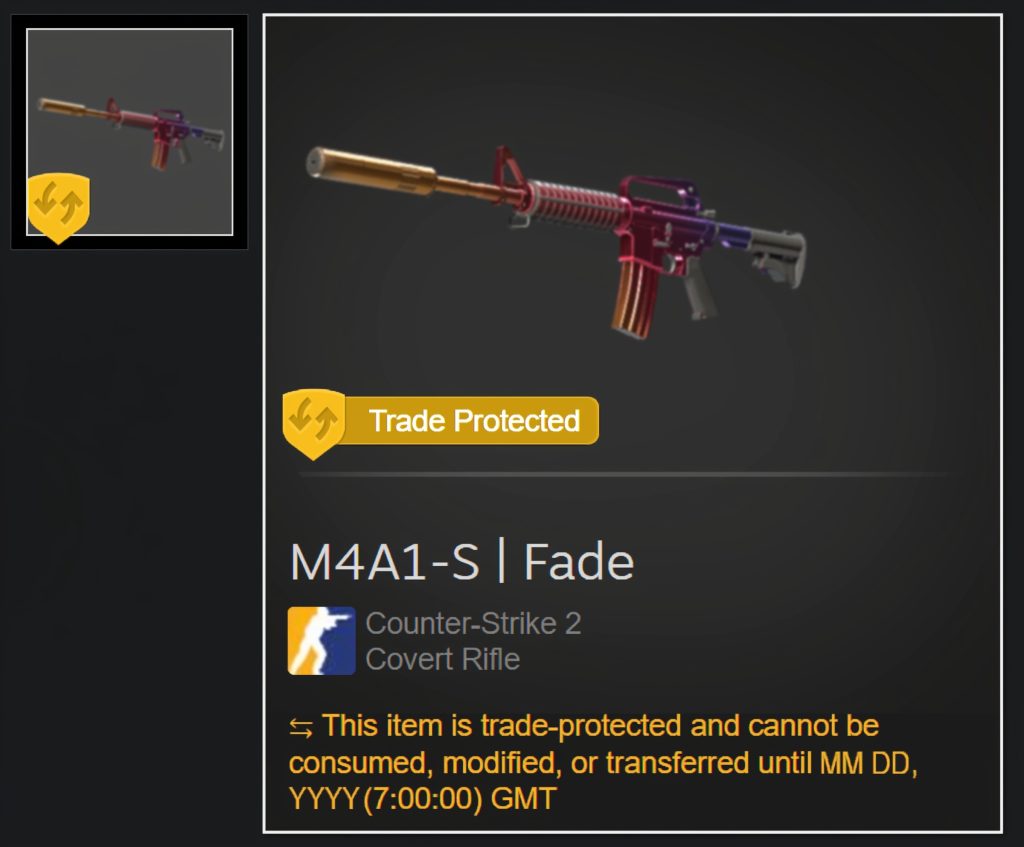
The reasons for introducing Steam trade holds are clear and straightforward. But how does it work? Let’s take a look. It’s actually quite simple:
- Users give confirmation for the transaction to be carried out. It all starts with users agreeing to a transaction involving in-game items.
- The system blocks transferred items. While skins are being held, participants in the transaction can only observe the progress of their status changes.
- Delivery of skins to the recipient. Once the holding period expires, the items are automatically transferred to the recipient.
The duration of Steam trade holds can vary from 7 to 15 days, depending on the following:
- The item transfer lock is active for up to 15 days if the user’s Steam Guard mobile authenticator is inactive or was activated less than 7 days before the trade.
- The trade is executed instantly if the user’s Steam Guard mobile authenticator has been active for more than 7 days.
- It’s worth noting that Steam trade holds can be activated as an additional security measure if the user changes their password or logs in from a new device (up to 7 days). Taking steps to avoid trade holds is especially important for players who want to use the most expensive CS2 (CS:GO) skins without problems.
How to Remove or Avoid Steam Trade Holds
Despite security measures, Steam trade holds can be a real challenge for active CS2 players. Trading dozens of frozen skins is not easy. But the good news is, they can be avoided. And it’s quick and easy!
Enable the Steam Guard Mobile Authenticator
The only official way to avoid 15-day holds is to activate the Steam Guard mobile authenticator. Here’s how:
Install the Steam app (available for both Android and iOS). Search for it in the Play Store and App Store.

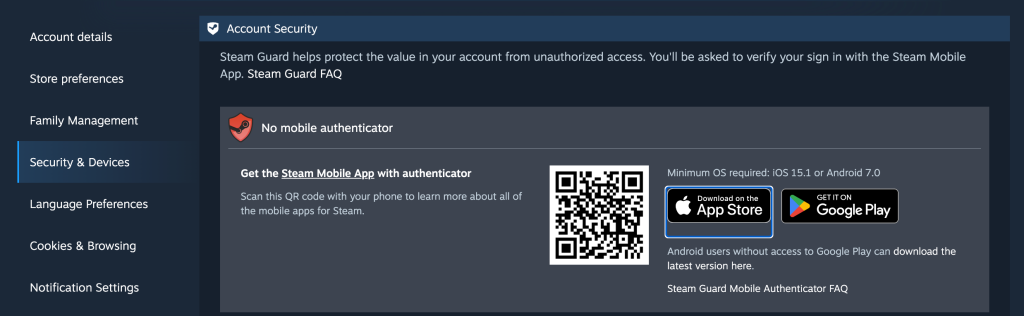
Log in to your account and open the menu.
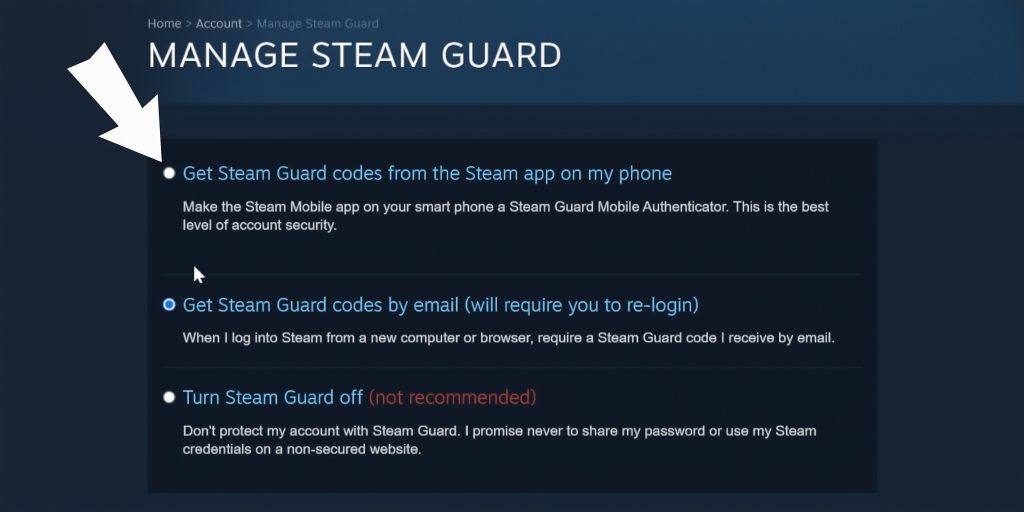
Find the Steam Guard section and select “Add Authenticator.”
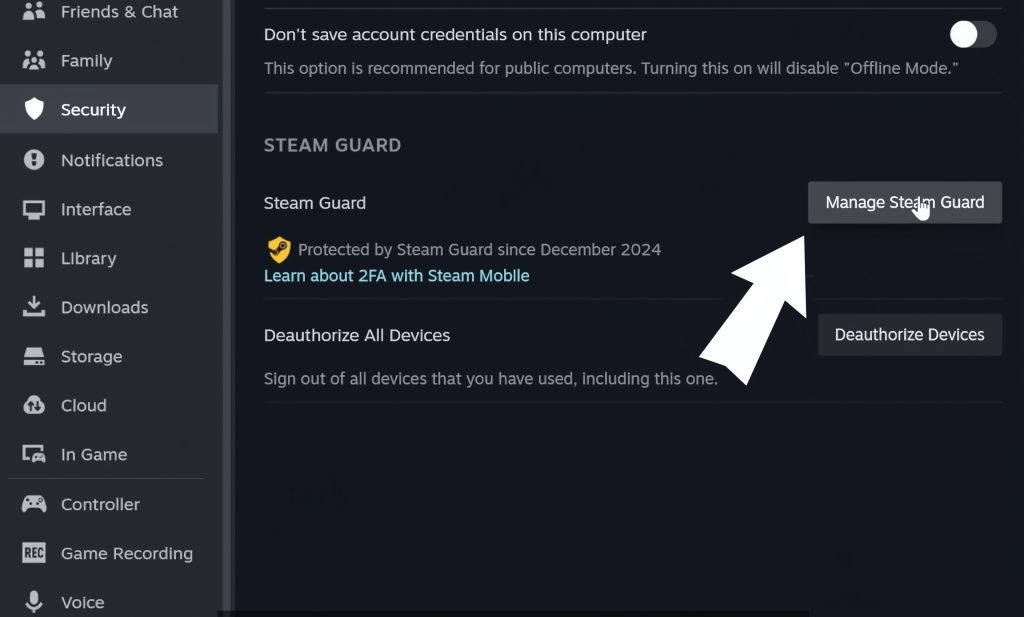
Simply follow the instructions, verify your phone number, and save the recovery code you receive.
Now your phone is a reliable assistant in confirming trade transactions. Activating the mobile authenticator is a step toward additional security, and it eliminates those annoying 15-day waits. It doesn’t end there. Here’s what you need to keep in mind after activating the Steam Guard mobile authenticator:
- The authenticator must be active for at least 7 days.
Activating the Steam Guard mobile authenticator does not automatically cancel trade holds. For instant transfers of game items, the Steam Guard mobile authenticator must be active for at least 7 days. If the authenticator is active for less than 7 days, trade holds apply for up to 15 days. After that, trades will proceed without freezing.
- Avoid frequent account changes.
Steam considers actions such as changing your password, phone number, email address, or logging in from a new device or location a security risk. Therefore, the trust timer is reset. After such actions, the system may activate trade holds.
- Check device authorization.
Steam only considers devices the user has previously used and verified as trusted. If the user logs in from a new device, a temporary trade hold of up to 15 days is applied. In this case, the user must verify the new device and wait 7 days; after that, there will be no trade holds.
So, the first step to instant trading is activating the Steam Guard mobile authenticator. It takes at least 7 days for the system to establish trust. Be patient and then trade without holds. Avoid frequently changing your account information and logging in from new devices. Knowing how to avoid trade holds will allow you to freely sell or buy CS2 (CS:GO) skins.
How Long Is a Steam Trade Hold?
If Steam Guard mobile authenticator isn’t activated, trade holds can be up to 15 days. If you’ve just activated it, here’s what you need to know:
| Situation | Trade hold time | Description |
|---|---|---|
| Steam Guard mobile authenticator is not activated | 15 days | this is the maximum possible holding period |
| Steam Guard mobile authenticator is activated more than 7 days | no holds | Instant item trading, the Steam system considers the account reliable |
| Steam Guard mobile authenticator is activated less than 7 days | 15 days | The Steam system is in the process of establishing account trust |
| sign in from a new device | 7 days | The Steam system is establishing trust for the new device. |
Common Reasons for Unexpected Trade Holds
It may seem like everything is done correctly, but CS2 trade bans still occur. This is possible and is related to additional security measures taken by Steam. In addition to the already mentioned actions, such as changing your password, phone number, or logging in from a new device, this can be caused by the following:
- Reinstalling the Steam mobile app or authenticator.
- Accidentally disabling Steam Guard.
- Changing security settings or account information.
Don’t panic when Steam trading down occurs. This is a responsible measure taken by the platform to protect users. To avoid them, we recommend responsible account management, especially during periods of active trading. By doing this, you will be able to buy and sell CS2 (CS:GO) skins freely.
Can You Bypass a Steam Trade Hold?
The only official way to avoid trade holds is to activate Steam Guard mobile authenticator. There are no other legal and reliable ways to avoid trade holds. Avoid third-party services that promise to eliminate CS2 trade bans with extensions or tools. Moreover, if you encounter this, it would be useful to report it to the support service.
Tips to Prevent Future Steam Trade Holds
It’s possible to prevent trade holds at the most inappropriate times. This is definitely something worth paying attention to:
- Activate Steam guard mobile authenticator as soon as possible; it’s the official way to avoid freezing.
- Temporarily disabling Steam Guard is a bad idea; the Steam system will have to revalidate your account.
- Avoid unnecessary manipulation of the authenticator, such as reinstalling it, as this will require revalidation.
- If you have a period of active trading planned, it’s worth changing your password and data in advance.
- If you need to change your password or account information, do so in advance, not during scheduled trades.
- Don’t forget about security measures that can protect your funds and in-game items (a complex password and ignoring strange links and services are the key to successful trading).
These are simple habits that will make using Steam much easier and help you avoid trade holds.
Conclusion
Steam is the official platform for buying and selling skins, and therefore, security must be guaranteed. Trade holds are a security measure. They are required for users who don’t have Steam Guard mobile authenticator activated and for those who frequently change their data. However, trade holds can be avoided by performing these actions well before trades. Avoid making any changes immediately before active trading. Trading on Steam can be safe, convenient, and profitable.
FAQ
Why is my Steam trade on hold?
The main reasons why your Steam trade is on hold are an inactive Steam Guard mobile authenticator, recent changes to your account or password, and logging into Steam from an unfamiliar device.
Do all Steam trades have a holding period?
Not all trades on Steam have a holding period; only those that require additional security measures do.
Are Steam trade holds effective?
Steam trade holds are designed to ensure security. This is an excellent measure that can protect players in critical situations, such as hacking.
How to remove a Steam trade hold?
To remove a Steam trade hold, a player should activate the Steam Guard mobile authenticator.
How to remove a 7-day trade hold on Steam?
To avoid a 7-day trade hold, avoid logging in from new devices or changing the password you entered immediately before a scheduled trade.
How to bypass the Steam 15-day trade hold?
The only way to bypass the Steam 15-day trade hold is to activate Steam Guard mobile authenticator and wait until the 7-day period ends, as the holding may apply during this period.
How to avoid Steam trade holds in the future?
If you already have an activated Steam Guard mobile authenticator, it is recommended to avoid changing your password, data, and logging in with a new account before active trading to avoid future holds.
Why is my Steam trade still on hold after seven days?
Trade holds may exceed 7 days if additional verification is required, such as a recent password or data change, or logging in from a new device.
I downloaded the Steam Authenticator, but my trade is still on hold — why?
To avoid trade holds, the Steam Authenticator must be activated at least 7 days before the transaction.
How to check if my Steam trade is on hold?
It's enough to simply check the transaction status; frozen skins are not available for any actions.
Can you not wait for the Steam market trade hold?
To avoid trade holds, you must activate Steam Guard mobile authenticator in advance and avoid changing your account information, password, or logging in from new devices before trading.
Does gift wrapping cause a Steam trade hold?
If the gift recipient has an activated Steam Guard mobile authenticator, then holds are not applied.
Does email Steam Guard cause a trade hold?
Only activation of the Steam Guard mobile authenticator can free the user from the 15-day trade hold.

Subscribe
0 Comments